Why Your Webinar Background Is Killing Engagement & How to Fix It
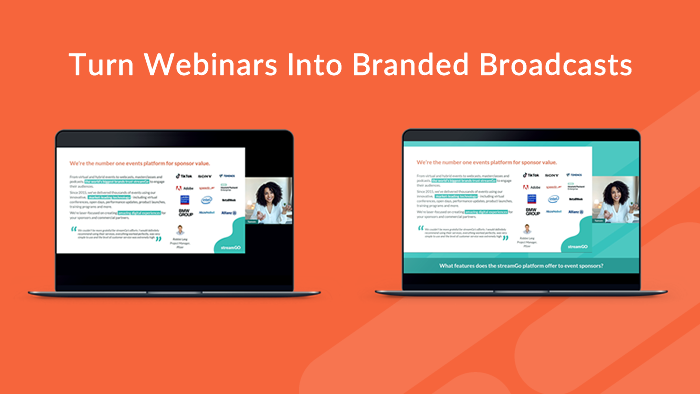
Webinars have become a familiar part of how we share ideas and information, yet many still treat the visual environment as an afterthought. Slides and a presenter get the attention, while everything else on screen is left minimal or simply black. But research into attention, cognitive load, and visual perception suggests that what surrounds the speaker matters more than we might expect.
A completely static visual (e.g., a black background for 60 minutes) can lead to sensory under-stimulation, here’s why:
It feels flat and visually fatiguing over time
It can feel sterile or impersonal for long sessions
When nothing changes visually, the brain down-regulates alertness. This increases mind-wandering and disengagement.
Subtle visual richness provides “micro-novelty”:
Maintains visual interest without demanding attention
Not enough to distract, just enough to keep the visual system awake
Improves presence and perceived energy
This “just enough” principle matters because visual complexity has a cognitive cost: when screens get too busy or overloaded, learning and recall can suffer. Especially for viewers who are already working harder to process information (for example, in a second language). That balance between supportive visuals and overload is a key takeaway from multimedia learning research.
Think of it like background music in a café: you don’t focus on it, but its absence can feel oddly draining.
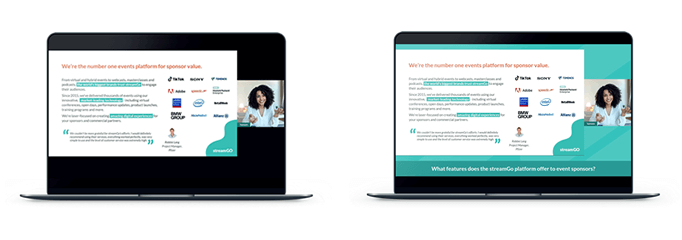
But that is not all that stream visuals can impact. Studies (in professional telework contexts) show that backgrounds influence perceptions of professionalism, trust, and credibility. In other words, visual choices aren’t just aesthetic, they can change how the presenter is judged.
For example, experimental work in videoconferencing found that different background choices affected subjective performance evaluations, and that perceptions like trustworthiness and likability helped drive those evaluations.
At the same time, there’s a clear warning here: visual design can backfire if it becomes cluttered. Research on video-conferencing displays shows that as background complexity and variability increase, people can become worse at common on-screen tasks like quickly locating the right person or indicator.
So the goal isn’t “make it fancy”. It’s make it supportive: visually warm, on-brand, and stable — without becoming noisy.
This is where branding becomes more than decoration. Consistent visual elements act as cognitive anchors. When the brain repeatedly sees the same stable visual structure, it becomes faster and more efficient at orienting itself. A phenomenon related to how we learn and benefit from repeated visual context (often discussed in psychology as contextual cueing).
Research in visual cognition and marketing psychology also aligns with the practical point: coherent, consistent branding reduces “processing effort” because the viewer doesn’t have to keep re-parsing what they’re looking at. That frees attention for the content itself.
In professional communication, this consistency strengthens memory and trust: audiences are more likely to recall information and perceive presenters as organised and credible when visual cues align. In a live stream, branding functions as a stabilising frame. Quietly reinforcing identity and professionalism while keeping the viewer oriented and engaged throughout the session.
Bringing it to life in streamGo
streamGo gives you the tools to apply these subtle yet powerful additions to your webinar.
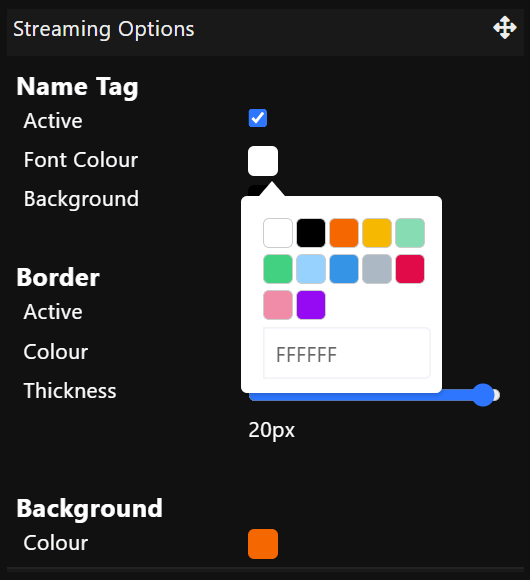
From the Streaming Options tile within Presenter Studio, it’s easy to apply attention-aware branding to live streams. By setting a custom colour or image as the stream background and layering slides and camera feeds on top, your broadcasts avoid the visual flatness that leads to disengagement.
Subtle branded visuals introduce just enough variation to keep attention active, while logos reinforce identity and credibility. The result is a stream that feels more professional, more engaging, and easier to stay with over time.
Now over to you…
Why not try adding your logo or brand colours to your stream to add that visual pop? Perhaps your panel of presenter webcams could sit on top of a subtle image to add a polished broadcast feel to your discussion?
Let your creativity bring your audience a more engaging webinar with just a few clicks. The floor is yours.
Inspired for your next online event?
See the streamGo platform in action!