streamGo 4.0: What's New and Why It Matters
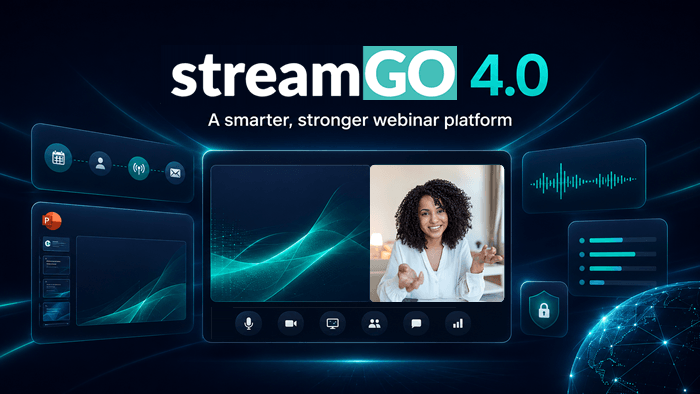
streamGo 4.0 has now launched! It's the biggest update we've shipped, and it touches almost every part of the platform: how you present, how attendees experience your slides and captions, and how reliable your stream is when something goes wrong.
If you're looking for the short version: presenting is faster, PowerPoint has been rebuilt from the ground up, captions are more accurate and now detect language automatically, and your stream has more backup infrastructure behind it than before. Below is the full breakdown.
A faster, simpler presenter studio
A lot of 4.0 is about removing friction from the moments right before and after you go live.
Event setup and the studio flow have both been simplified, so there are fewer steps between opening streamGo and actually presenting. We've also removed the 90 second countdown that used to run every time you started a new presenter studio session. It was there for a reason once. It stopped earning its place.
Shutdown is no longer a separate step either. Stopping your broadcast now handles shutdown as part of the same action, so presenters aren't left wondering whether they need to do something else after the stream ends.
Rehearsals got a genuine upgrade too. You can now view the live broadcast output during a rehearsal or dry run, which means what you see while rehearsing is what your audience will actually see on the day. That's a small change with a big effect on how useful a rehearsal actually is.
There's also a batch of smaller improvements across the Presenter Studio interface itself, and one structural change worth knowing about: all non-RTMP live sessions are now playlists by default, which makes switching between live and pre-recorded content more consistent across event types.
Native PowerPoint, rebuilt
Our Native PowerPoint feature has always let presenters upload slides and present them exactly as designed, without screen sharing or extra software. In 4.0, the servers behind it have been rebuilt.
The practical result is a more reliable experience with a few new capabilities layered on top. Presenters can now view slides full-screen without the presenter studio disappearing behind them, accessibility when viewing slides has improved, and there's now a compatibility check when you upload slides to a playlist, so formatting issues get caught before your event rather than during it. The upload limit has also gone up to 100MB, giving presenters more room for image-heavy or video-embedded decks.
The biggest addition here is AI Slide Insights. Upload a deck and streamGo will generate a summary of it along with an estimated presenting time, useful for catching a 20 minute slot that's quietly hiding 40 minutes of content before it becomes a problem on the day.
Captions that understand your event
Live captions have new infrastructure behind them in 4.0, and it shows up in a few specific ways.
Captions now automatically detect the language being spoken, rather than requiring it to be set in advance. Vocabulary is also extracted directly from your uploaded slides, so product names, brand terms and industry acronyms are far more likely to be captioned correctly instead of guessed phonetically. On top of that, caption display for attendees has been improved, and the underlying accuracy of the automated vocabulary detection has gone up as well.
If accessibility is part of why you're paying attention to this, it's worth reading our piece on why accessibility matters for events, which covers the wider case for captions beyond compliance.
A stream built to stay up
This is the part of the release most attendees will never notice, which is exactly the point.
streamGo 4.0 introduces new video encoding infrastructure and new backup stream infrastructure, along with full support for redundant streams. There's also an additional bit rate available for attendees on slower connections, so quality can adjust without the stream dropping out entirely.
None of this is visible when it's working. It's only visible when it isn't, which is the argument for investing in it in the first place. If platform resilience is something you weigh when choosing event technology, our guide to what a secure, reliable virtual event platform should look like covers the infrastructure side of that decision in more detail.
The smaller changes worth knowing about
A few updates in this release are minor on their own but worth a mention.
Poll results now display to attendees as bar charts instead of pie charts, which is simply easier to read at a glance. The stream player now plays unmuted as soon as an attendee clicks it, removing an extra step that used to sit between arriving on the page and actually watching. Unapproved registrants are now automatically excluded from email targeting, so approval status and communications stay in sync without manual list management.
Try it out
All of this is already live in your account. If you want a walkthrough of AI Slide Insights, the rebuilt PowerPoint experience, or anything else in this release, book a 30-minute session with the team and we'll show you around.
Inspired for your next online event?
See the streamGo platform in action!